
The platform
Export Data
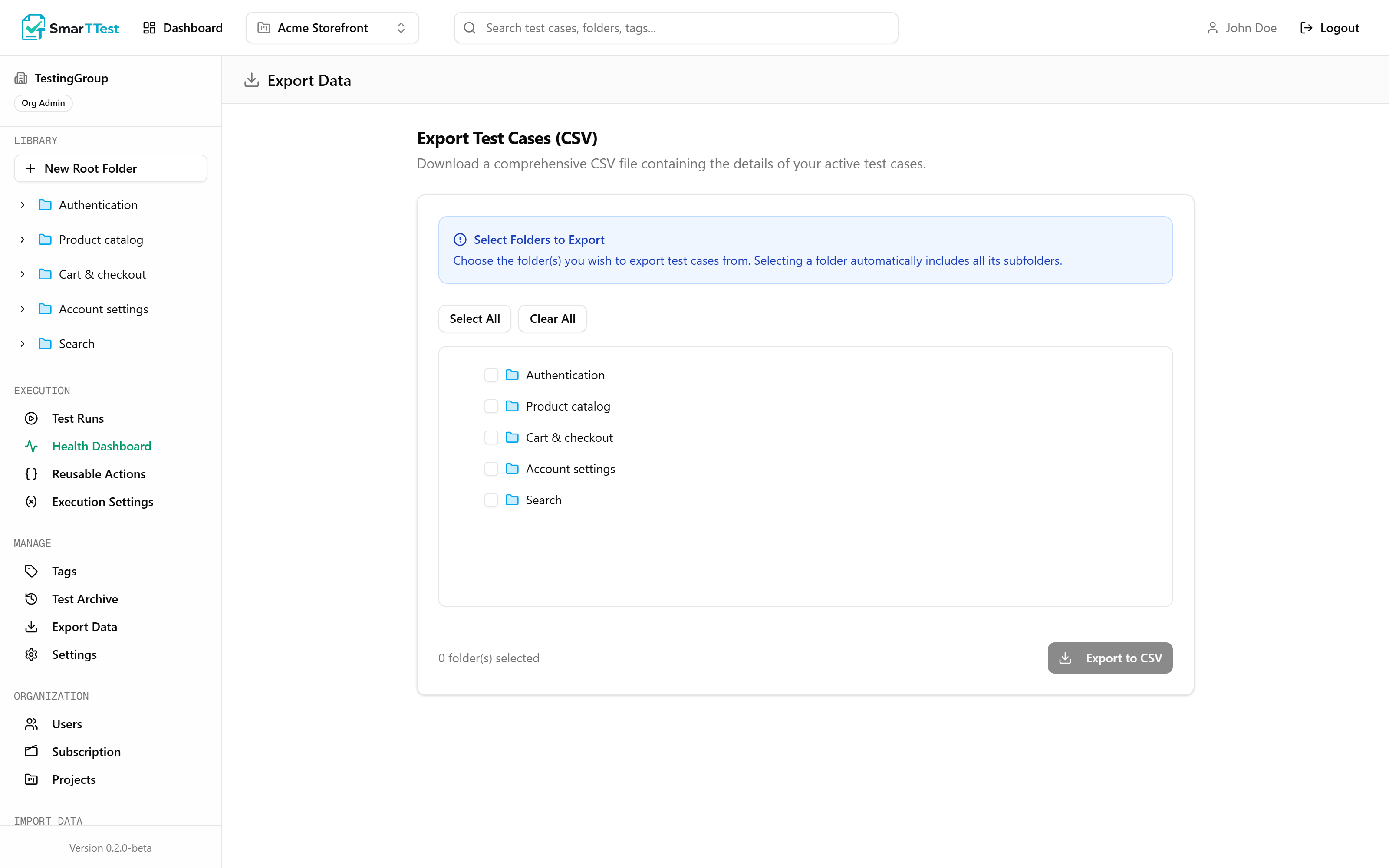
Your tests are yours. Export them as CSV at any time, from any folder, without asking anyone.
Exporting#
- 1
Pick the folders
Selecting a folder automatically includes every subfolder under it, so exporting a whole area is one click. Select All takes the entire project. - 2
Export
A CSV downloads with one row per test.
What the file contains#
| Parameter | Type | Description |
|---|---|---|
| id | string | The test's identifier in SmarTTest. |
| title | string | What the test verifies. |
| priority | string | LOW, MEDIUM, HIGH, or CRITICAL. |
| description | string | The context field. |
| preconditions | string | Written preconditions. |
| steps | string | The written steps. |
| expectedResult | string | What must be true at the end. |
| tags | string | The tags on the test. |
| folderPath | string | Full path, so the tree can be reconstructed. |
| createdAt | date | When it was created. |
| updatedAt | date | Last modification. |
The export covers the written test
Automation plans, run results, and recordings are not in this file. It is the human-readable test, in the shape other test management tools expect. For programmatic access to runs and results, use the MCP:
list_runs and get_run return the full structure.What it is good for#
- Sharing with people outside SmarTTest: auditors, clients, a stakeholder who wants a spreadsheet.
- Bulk review: reading three hundred titles in one window is faster than clicking through a tree.
- Your own backup: no reason to depend on us for a copy of your own work.
- Migrating out. Yes, really. A tool that makes leaving hard is a tool you should be suspicious of.
Coming the other way#
Migrating in is a separate path: Import Data → TestRail in the sidebar brings an existing TestRail library across, preserving the folder structure.
Universal CSV import, planned
A generic CSV import is on the roadmap, so a library exported from any tool, or maintained in a spreadsheet, can be brought in by mapping its columns instead of needing a dedicated integration.
Secrets are never exported#
Encrypted variables are not part of any export, in any form. If a credential appears in your CSV, it is because it was typed into a test step as literal text, which is what the Quality Engine flags as hardcoded data, and a good reason to fix it.