
The platform
Reusable Actions
Log in. Accept the cookie banner. Seed a cart. Every suite has a handful of blocks that appear in dozens of tests, and that all break on the same day when the UI changes.
The problem they solve#
Copying a five-step login into forty tests works right up until the login form changes. Then you have forty tests to fix, you fix thirty-eight, and the two you missed fail for a week before anyone notices.
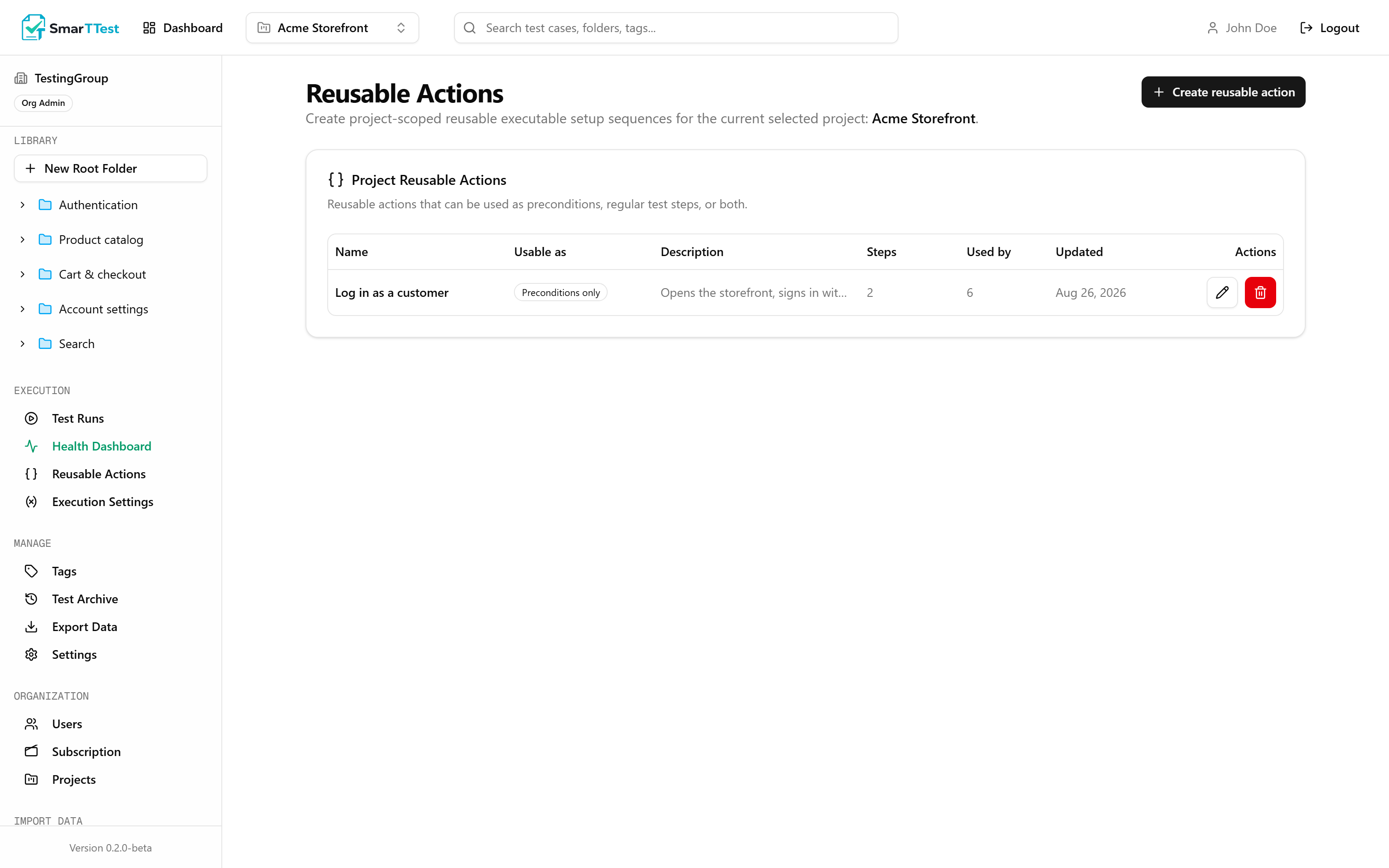
A reusable action is that block, defined once. Tests reference it. When the login changes you edit one place, and every test that uses it is correct again immediately.
What a reusable action holds#
| Parameter | Type | Description |
|---|---|---|
| namereq | string | Describe the outcome, not the mechanics: "Log in as admin" rather than "Fill form". |
| description | string | What state the system is in once it finishes, and anything it assumes beforehand. |
| usableAs | PRECONDITION | STEP | BOTHdefault PRECONDITION | Where this block is allowed to be used. See below. |
| stepsreq | step[] | The automation commands that make up the block. |
Precondition or step#
The distinction is about intent, and it keeps the library from turning into a pile of loose fragments.
PRECONDITION: setup that runs before the test begins. It is not what the test is verifying; it is what has to be true first. Logging in is the classic case.STEP: a block used inside the test flow, as one of the actions being exercised.BOTH: when a block genuinely serves either purpose. Reach for it last: a block that is allowed anywhere gives no signal about how it is meant to be used.
Attaching preconditions to a test#
A test can have several preconditions attached, and they run top to bottom. Order matters: logging in before selecting an account is not the same as the reverse, so the order is explicit and reorderable rather than incidental.
Note
Calling one from inside a test#
Within an automation plan, the smartt_run_reusable_action command runs a block at that exact point:
{
  "command": "smartt_run_reusable_action",
  "input": { "reusableActionId": "<id of the block>" }
}
Blocks cannot call other blocks#
A reusable action may not contain smartt_run_reusable_action. This is enforced, not a convention.
Nesting sounds convenient and turns bad quickly: a failure three levels deep gives you a stack of names instead of the step that actually broke, and a change to a low-level block silently alters tests whose authors never referenced it. Keeping blocks one level deep means a test's behaviour is always readable from the test plus the blocks it names. If two blocks share steps, inline them.
Editing and deleting#
- Editing a block changes behaviour for every test that uses it, immediately. That is the point, and it is also the risk, so check the usage list before you change one.
- Each block shows which tests reference it, so the blast radius is never a guess.
- Deleting a block that is still attached to tests is refused. Detach it first.
Keep blocks small and single-purpose
Scope and permissions#
Reusable actions belong to a project. Managing them is restricted to Org Admins, since a single edit propagates across the whole suite.
Through the MCP#
list_reusable_actions, get_reusable_action, create_reusable_action, update_reusable_action, delete_reusable_action, attach_reusable_action_to_test_preconditions, detach_reusable_action_from_test_preconditions, and reorder_test_reusable_preconditions. See the tool reference.